The RotaHive platform
The rota, and everything around it. Connected.
RotaHive brings rostering, leave, swaps, compliance, allocations, exception reporting, expenses and workforce administration into one platform, built around the same workforce information.
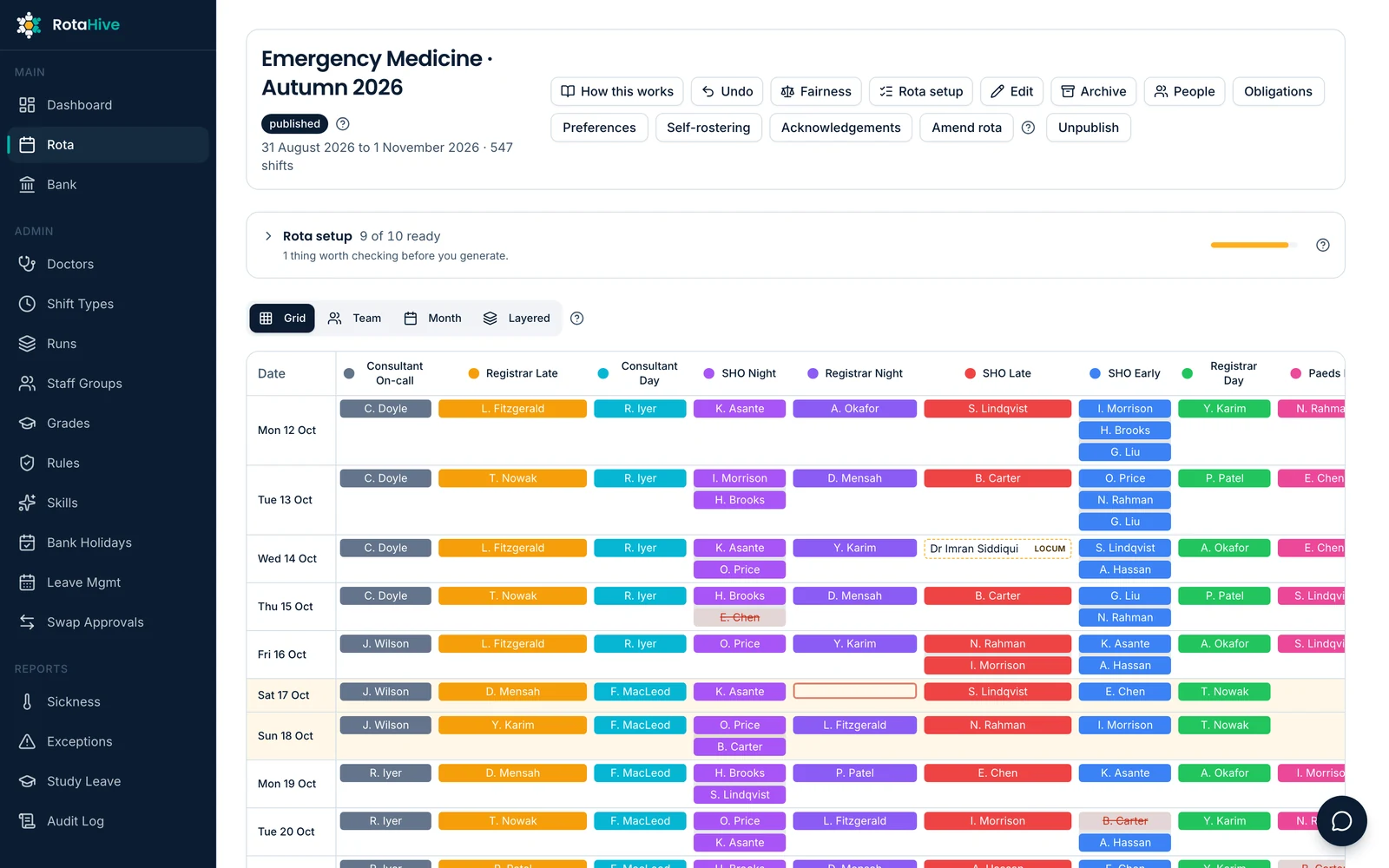
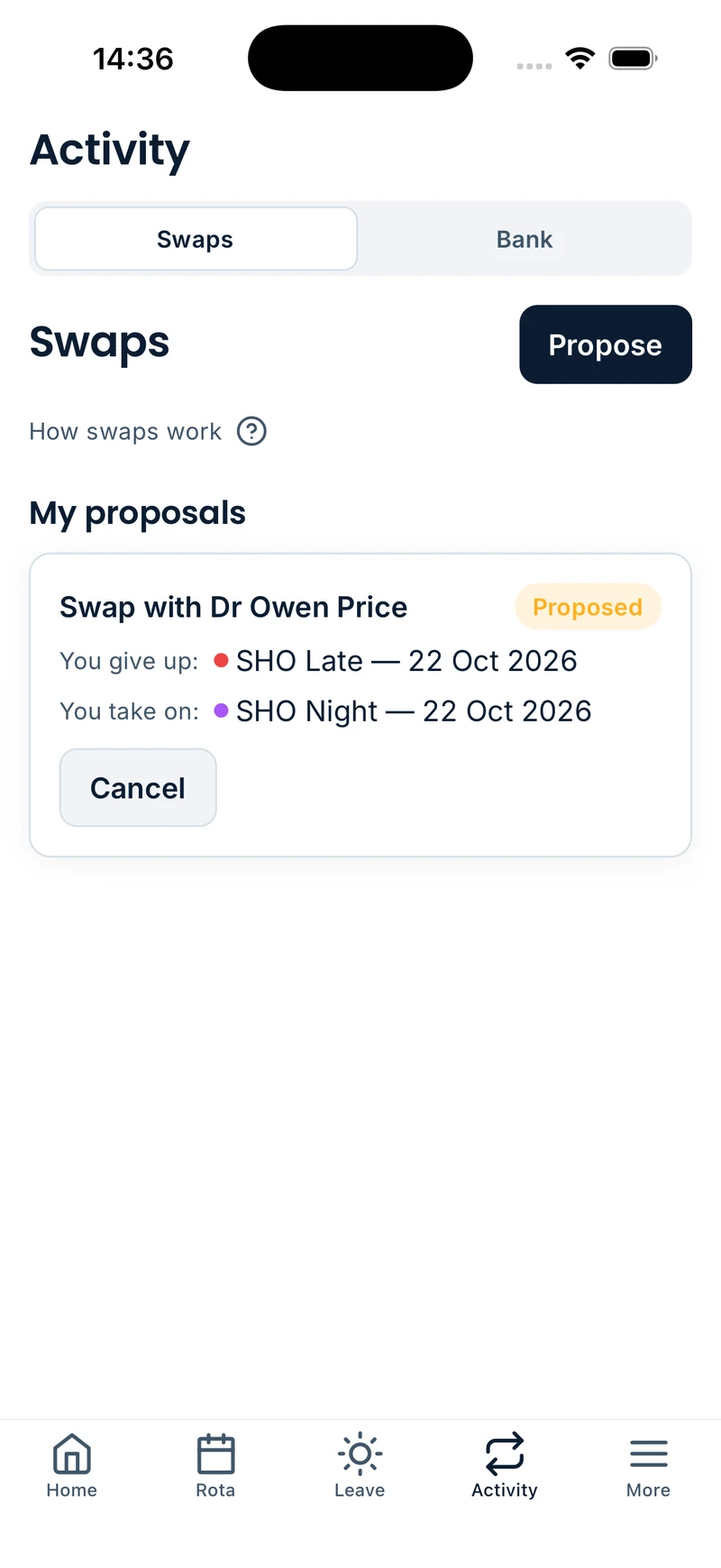
Managers get a clearer view of their workforce. Doctors get one place to manage more of their working lives.
Request a demoExplore the platform
Core workforce workflows
Rostering & coverage
Build the rota, manage staffing and see coverage clearly.
Leave & swaps
Make everyday rota changes easier for doctors and managers.
Compliance
Build organisational and contractual requirements into the rota.
Allocations
See not just who is working, but where they are working.
Exception reporting
Make reporting simpler for doctors and more useful for Guardians of Safe Working.
Expenses & workforce administration
Bring claims and workforce processes into the same system.
Across RotaHive
One workforce picture
Use the same workforce information across the rota and the processes around it.
Built around the way you work
Configure RotaHive around different departments, teams and local processes.
Smarter support, with the right context
Use intelligent assistance grounded in your workforce, rota and rules.
Rostering built around your service.
Every department works differently. RotaHive gives teams the flexibility to choose how they roster while keeping staffing and coverage visible throughout.
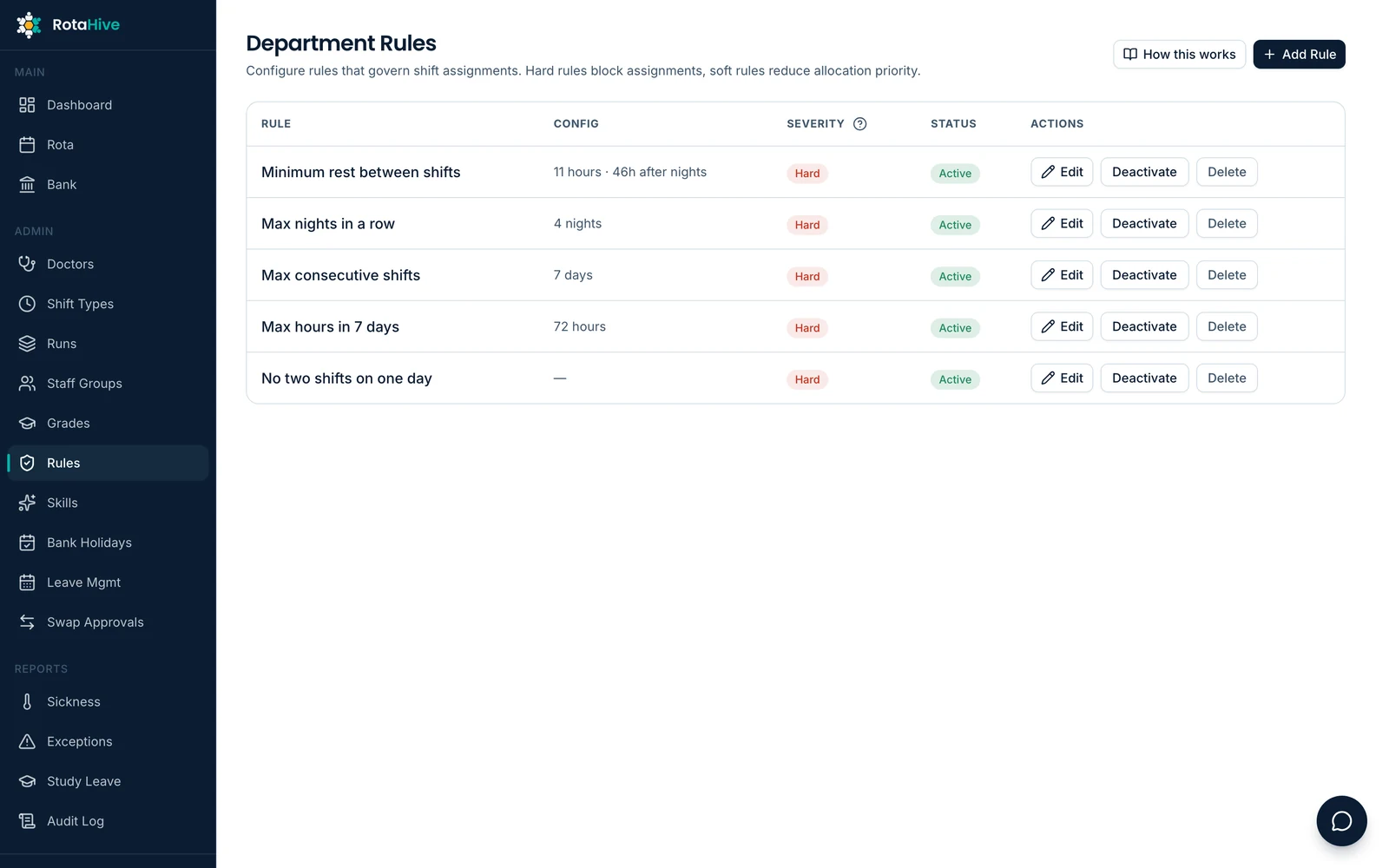
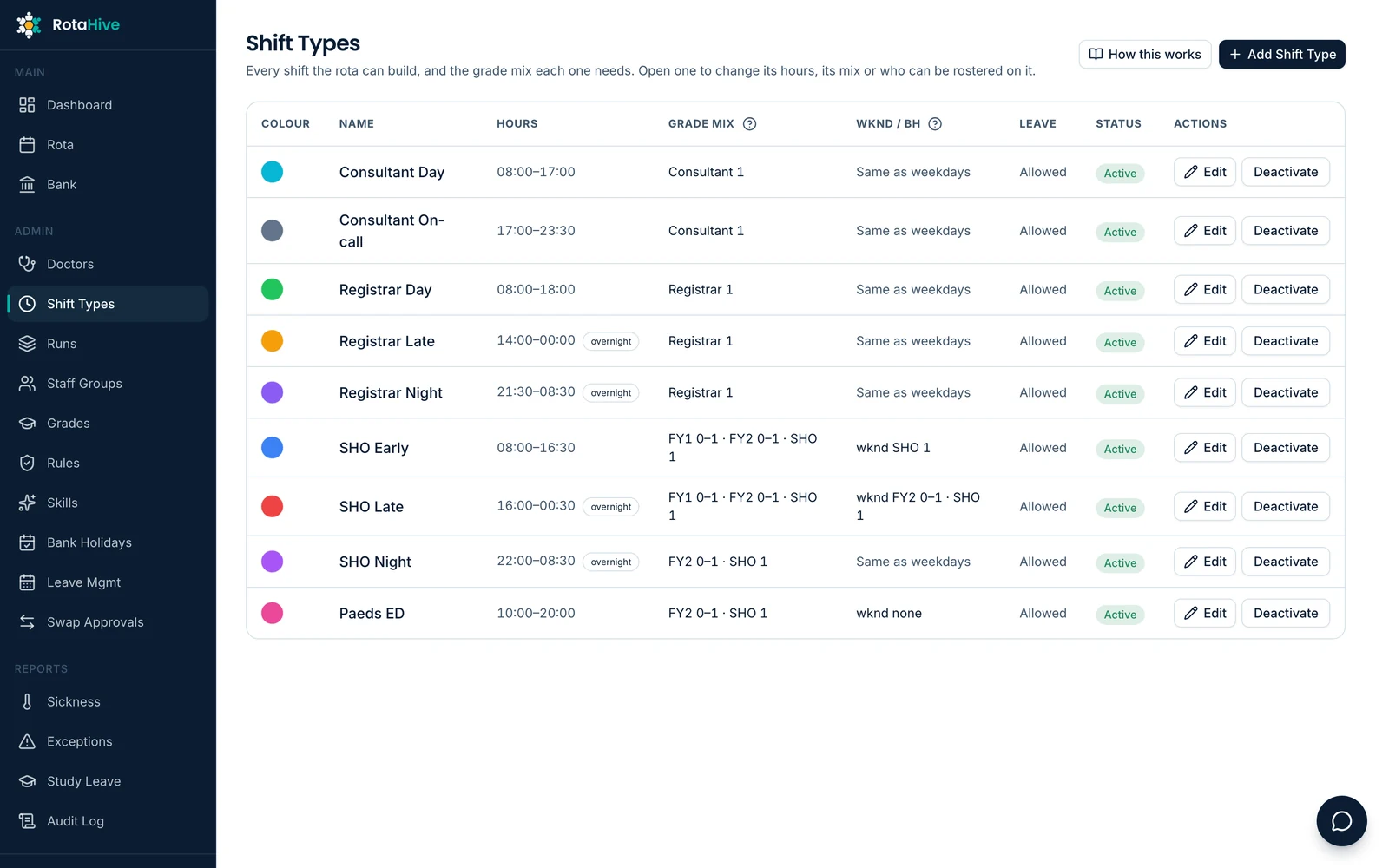
Choose how you roster
Use rigid, flexible or self-rostering, or combine different approaches for different groups within the same service.
Configure your service requirements
Set shift patterns, staffing numbers, grades and skills around what each part of your service needs.
See coverage and gaps early
See who is working, how each shift or on-call role is covered, and where staffing requirements have not been met while there is still time to act.
Leave and swaps that stay connected to the rota.
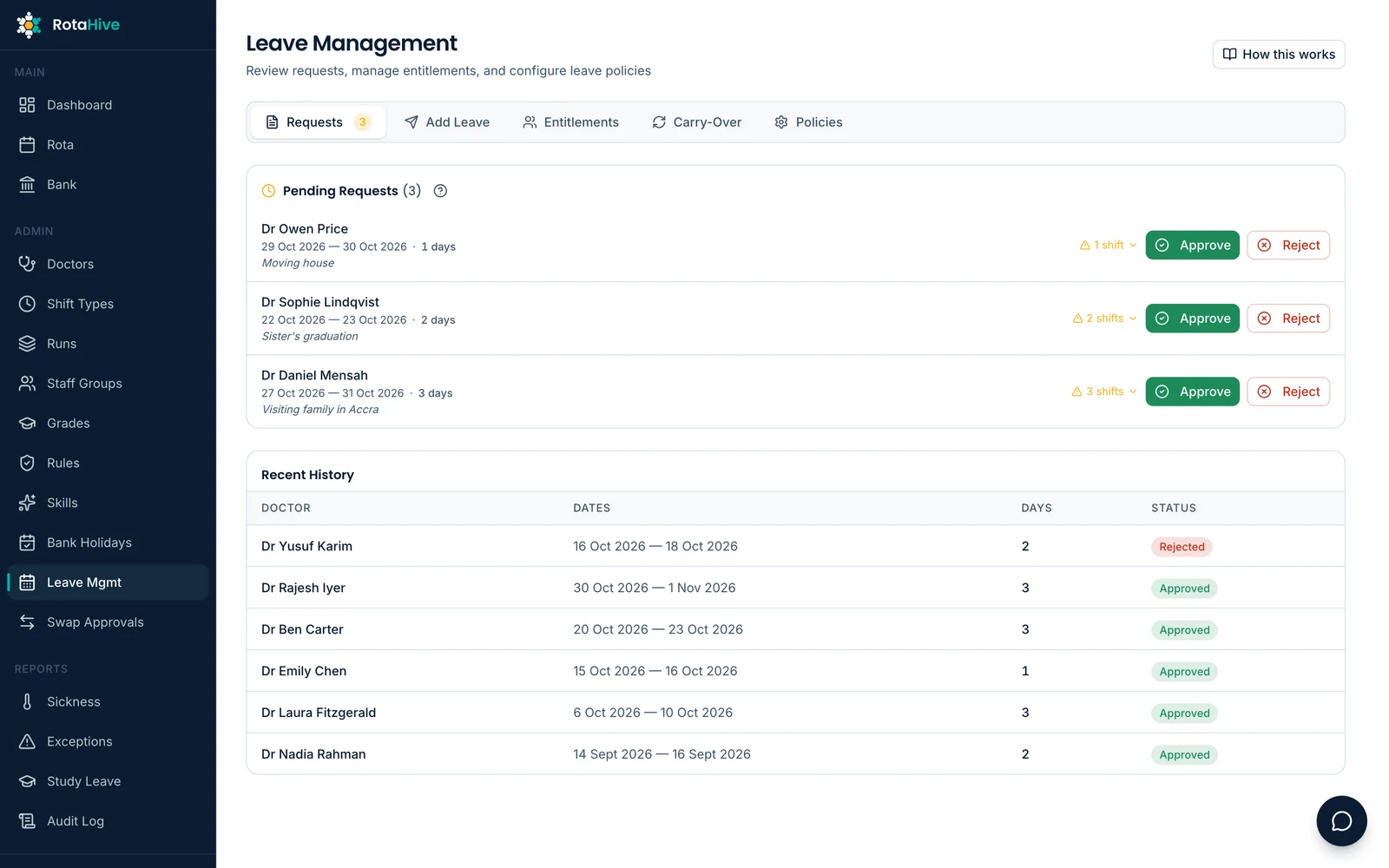
Leave and swaps are part of the rota, so RotaHive manages them alongside it. Doctors get a simpler process, while managers can make decisions with the staffing picture in front of them.
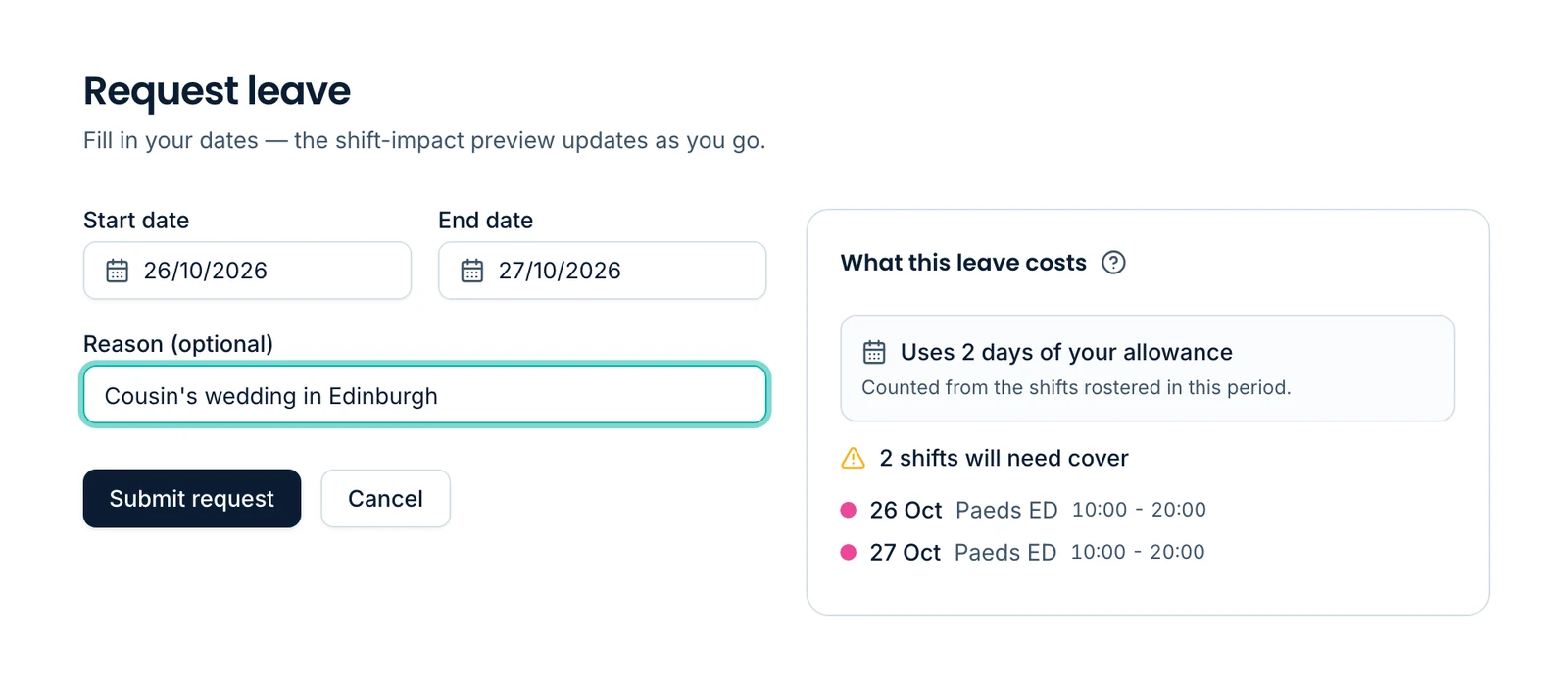
Request and track leave
Doctors can submit leave and see the progress of their request without relying on separate forms, emails or repeated follow-up.
Make decisions with the rota in view
Managers can review requests alongside staffing and coverage, helping them understand the effect of leave before approving it.
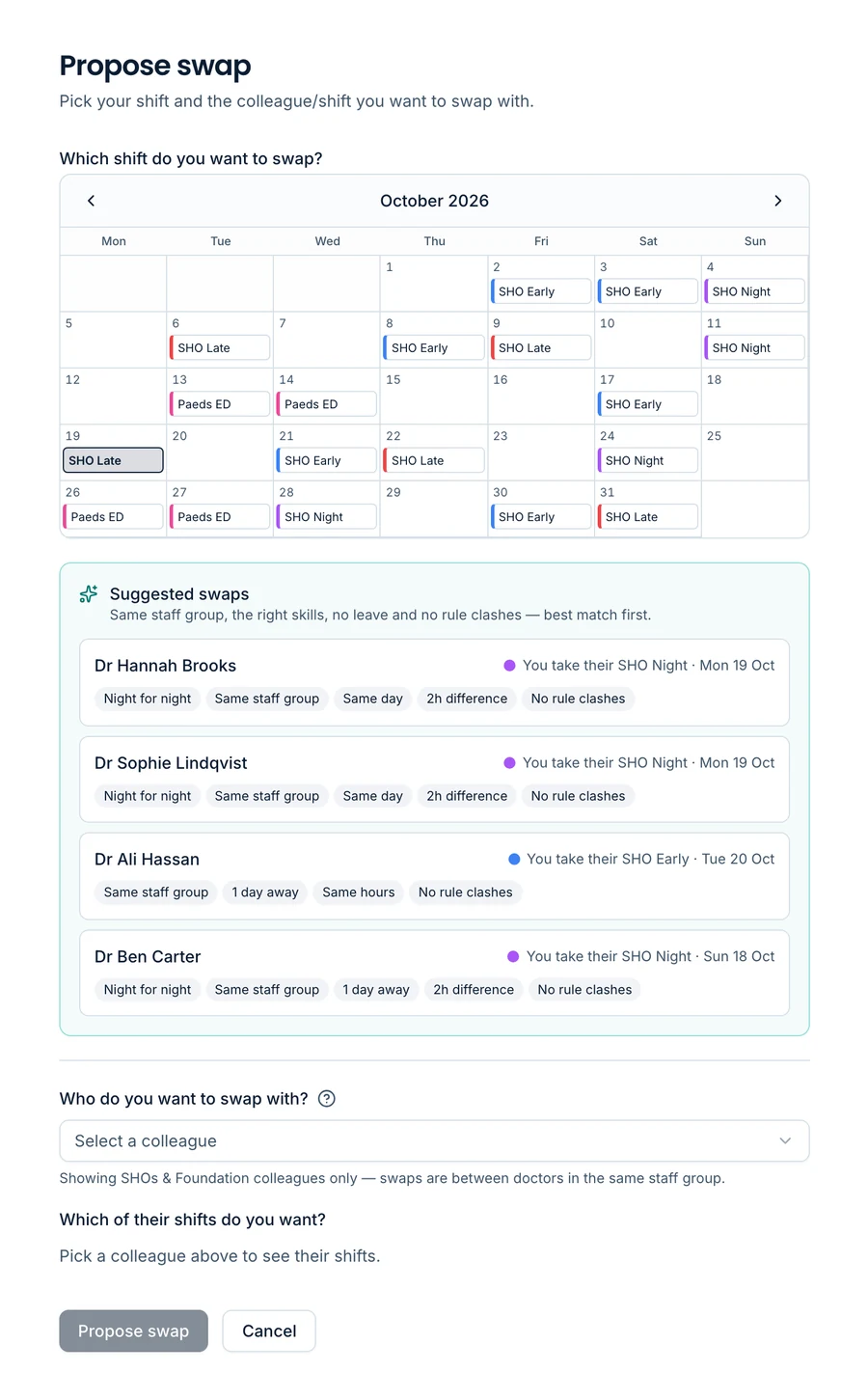
Make swaps smarter
Doctors can request swaps directly or use RotaHive to find suitable swap options based on the rota and the rules that apply. Relevant checks and approvals stay within the platform.
Keep the working rota current
Once leave or a swap is approved, the change is reflected in the rota so doctors and managers are looking at the same information.
Compliance built into every change.
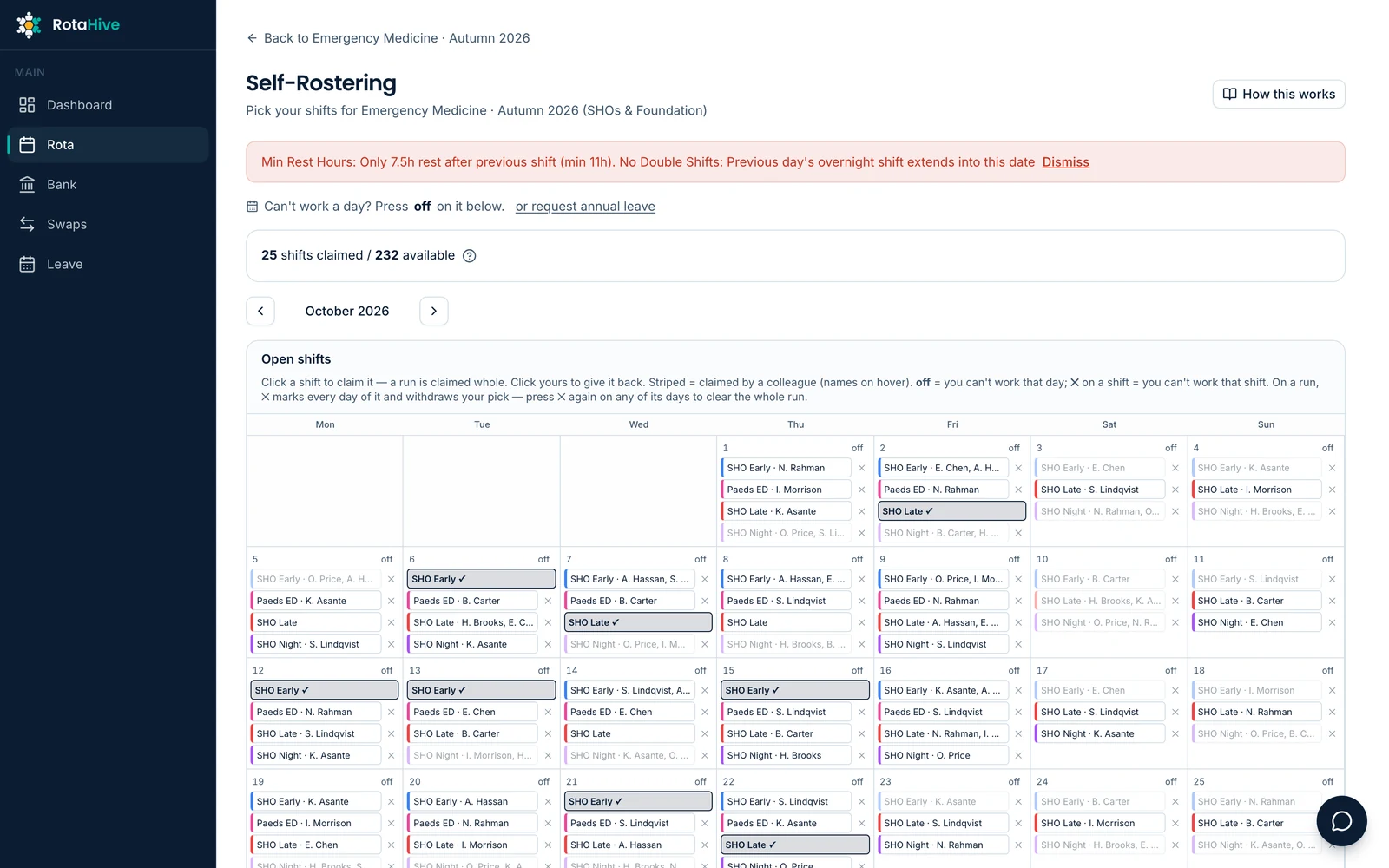
Compliance shouldn’t be something you discover after the rota has been built. RotaHive checks rota activity against your organisation’s configured rules and, where applicable, the 2016 Terms and Conditions of Service for NHS Doctors and Dentists in Training in England.
Check every change
RotaHive checks changes as they happen, including rota building, self-rostering preferences, swaps and other adjustments.
Apply local and contractual rules
Combine contractual requirements with the staffing, working and local rules your organisation chooses to apply.
Prevent or flag breaches
Where an action would breach a required rule, RotaHive can prevent the doctor from proceeding or alert the manager where review is needed. The system shows which rule has been triggered and what caused it.
Know when you’re working, and where.
The rota tells doctors when they are working. Allocations show where they are working. RotaHive keeps both together so the working day is clearer for doctors and easier for managers to coordinate.
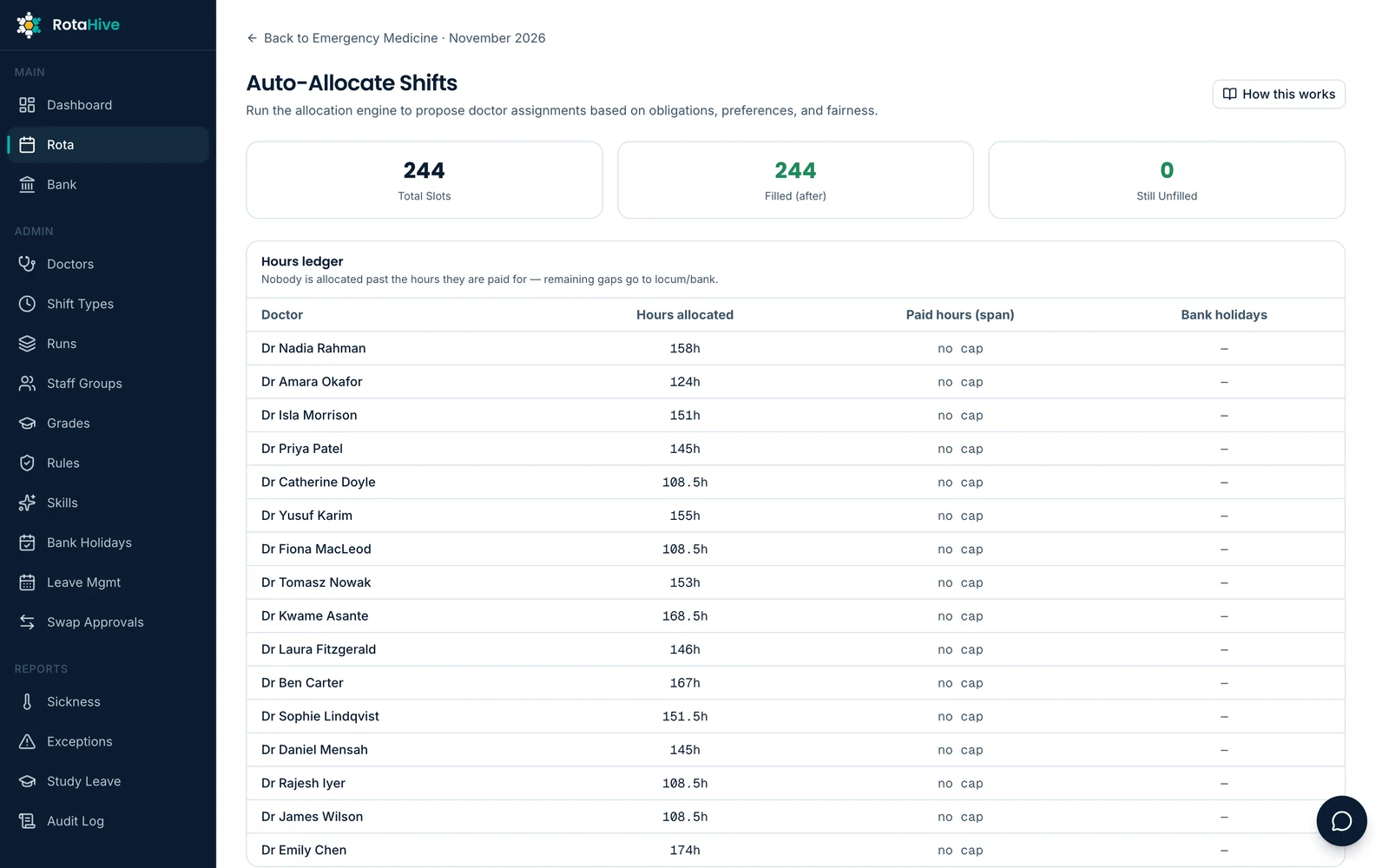
Allocate across the service
Assign doctors to wards, clinics, theatres, procedural areas, on-call roles and other parts of the working day from one view.
One clear daily picture
Managers can see how the available workforce is distributed across the service, while doctors can see where they are expected to be working alongside their rota.
Adapt as the day changes
Update allocations as service needs change while keeping the wider workforce picture visible.
Exception reporting, connected to the rota.
Exception reporting works better when it sits alongside the rota. Doctors can report from the same platform they use to view their shifts, while the Guardian of Safe Working gets the context and tools needed to oversee the process.
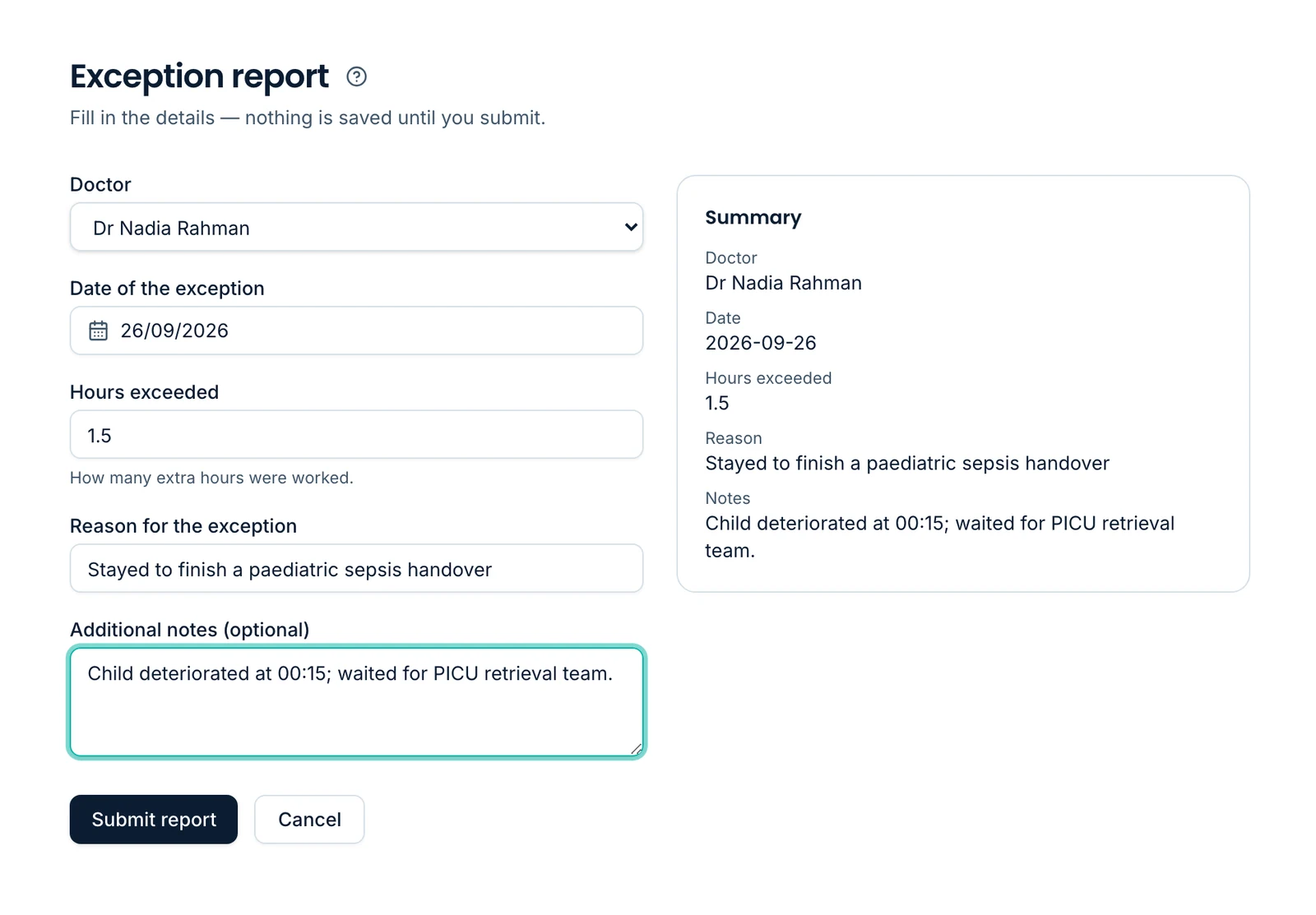
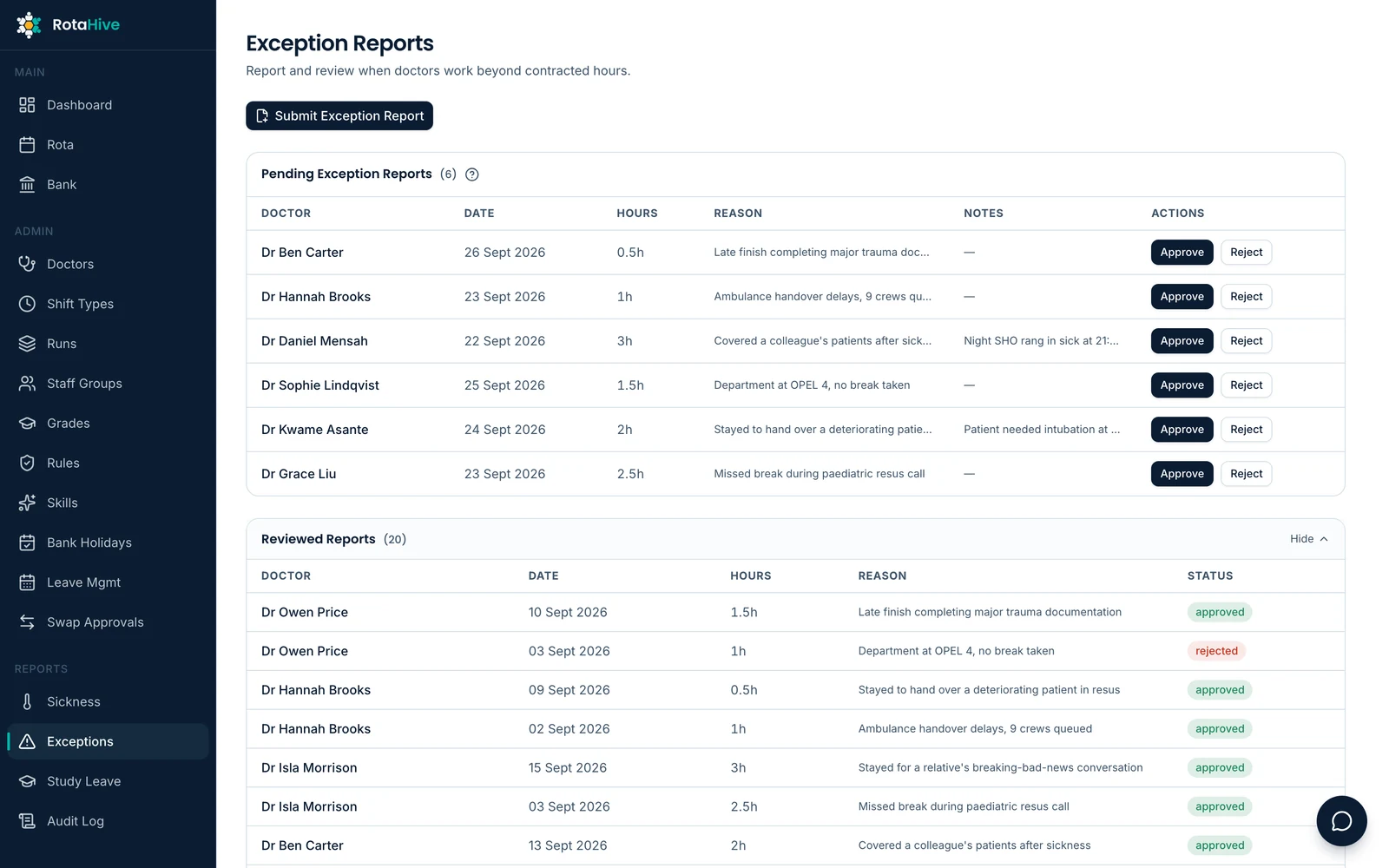
Link the report to the actual shift
Doctors can connect an exception report directly to the relevant shift on their rota, bringing the right context into the report from the start.
Make reporting easier for doctors
Submit and track exception reports without moving between separate systems or re-entering information that already exists in RotaHive.
Give the Guardian better insight
Guardians of Safe Working can review reports with the relevant rota context and identify patterns across departments, shift types, working patterns and time periods.
Turn the data into useful reporting
Generate reports and summaries to support governance, organisational review and identification of recurring workforce issues.
Make workforce admin easier for everyone.
Workforce processes shouldn’t mean more forms, inboxes and systems. RotaHive gives doctors one place to submit and track claims while giving organisations clear workflows to manage them.
Connect study leave and expenses
Doctors can link a study expense claim directly to approved study leave already held in RotaHive, reducing repeated data entry and keeping the approval and claim connected.
Submit and track claims
Manage study expenses and other claims through RotaHive, with doctors able to see their progress without chasing updates.
Configure your approval process
Set approval routes and workflows around the way your organisation manages different types of claims.
One workforce picture behind every workflow.
RotaHive’s workflows use the same core workforce information. That means the rota, compliance, allocations, swaps and other processes can work around the same understanding of each doctor and the workforce as a whole.
One workforce profile
Each doctor has a single profile bringing together relevant information such as their grade, skills, working pattern and contractual requirements. That profile can inform the workflows around them without maintaining separate versions of the same workforce information across different systems.
Mobile access
Doctors can access their rota and workforce tools wherever they need them.
RotaHive assistants
Doctors can quickly find information about their rota and workforce processes, while managers can interrogate the rota, identify issues and explore practical options.
Notifications that follow the workflow
Doctors and managers stay informed when changes, requests or decisions need their attention.
ESR integration
RotaHive can work alongside the wider NHS workforce environment rather than becoming another isolated system.
Bank shift management
Coming soonA dedicated bank shift manager is in development, designed to connect directly with the rota so vacant shifts, workforce availability and bank opportunities can work from the same staffing picture.
- Gap
- Bank opportunity
- Filled shift
- Rota
One workforce. One connected picture.
Built around the way you work.
Different specialties, departments and organisations have different rota structures, staffing needs and ways of working. RotaHive lets those differences exist within one platform.
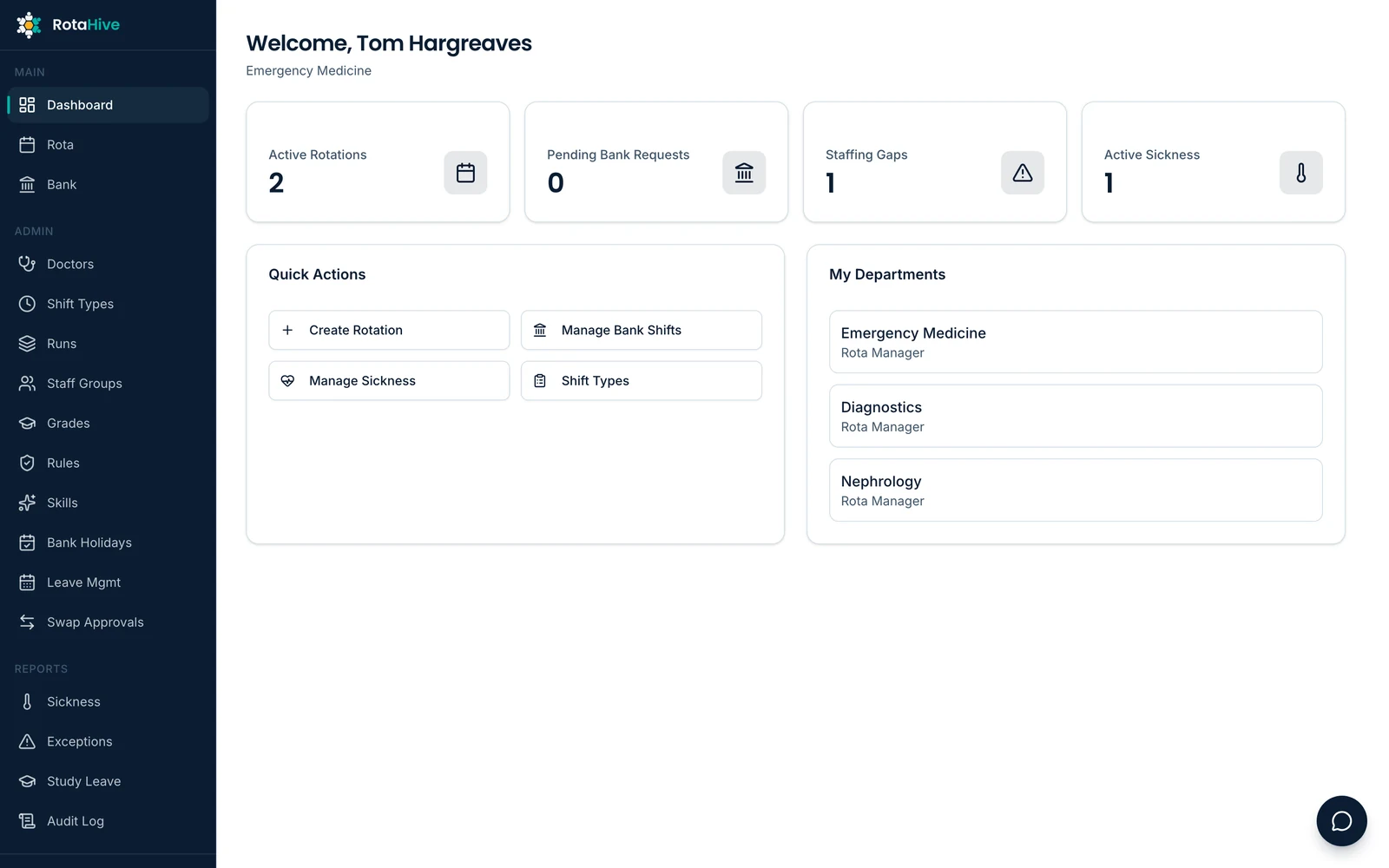
Structure teams your way
Use rigid, flexible or self-rostering and configure grades, skills, working patterns, shift structures and staffing requirements around each service.
Set your rules and workflows
Apply contractual and local workforce rules, and configure approval processes for leave, swaps, expenses, exception reporting and other workflows.
Give the right people the right access
Set roles and permissions so doctors, rota managers, Guardians of Safe Working and other teams can see and manage what is relevant to them.
Standardise where it helps. Flex where it matters.
Create organisation-wide processes where consistency is important, while allowing departments to retain the rota structures and local workflows their services need.
RotaHive adapts to your organisation, not the other way around.
Smarter support, with the right context.
RotaHive’s intelligent assistance works with the information already held across the platform (the rota, workforce profiles, organisational rules and connected workflows) so it can support people with the context of how their service actually works.
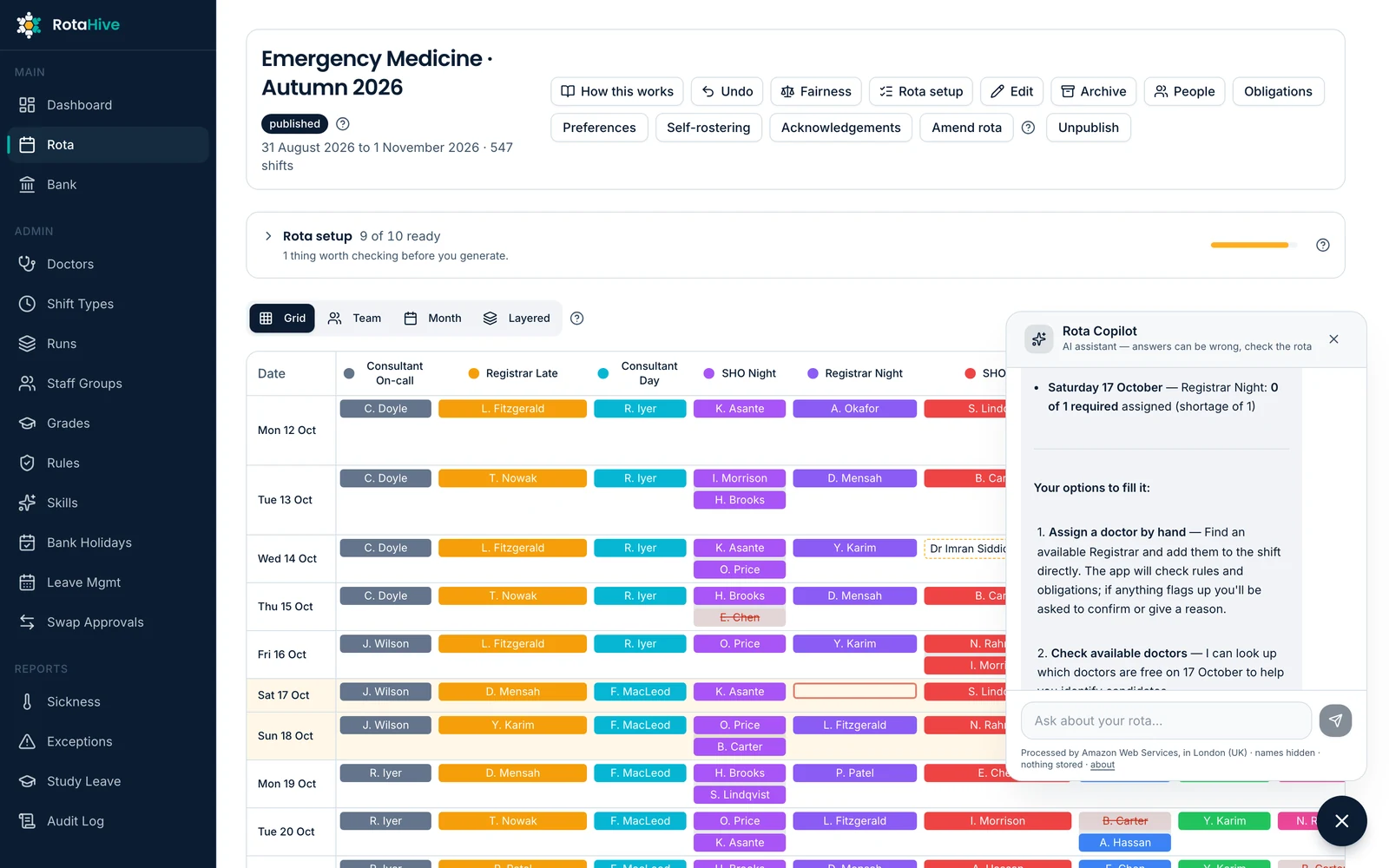
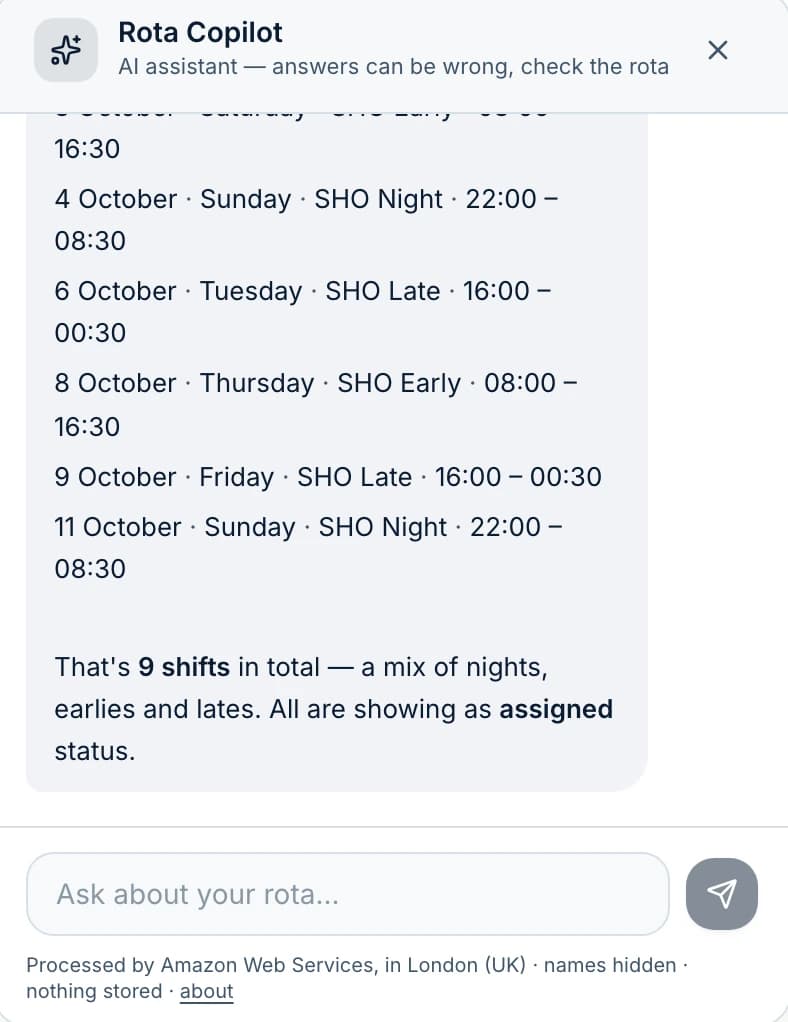
Help managers explore practical options
When a workforce problem arises, RotaHive can suggest possible ways forward based on the people available, the rules that apply and the wider rota.
Help doctors find answers
Doctors can ask practical questions about their rota, leave, swaps, allocations and other workforce processes without having to contact the rota team for every routine query.
Keep people in control
RotaHive can identify, explain and suggest. Workforce decisions remain with the people responsible for running the service.
Intelligent assistance, not autonomous workforce management.
See RotaHive working with a rota like yours.
Every NHS department works differently. We’ll show you how RotaHive can fit around your team, rota structure, workforce rules and processes.